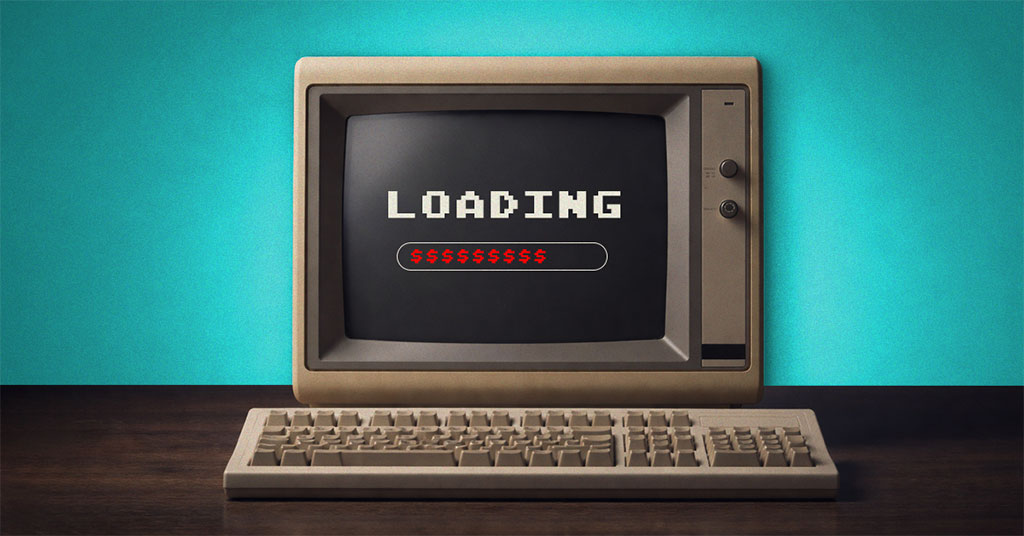


Most people treat outdated technology like a favorite sock with a hole in it — clearly past its prime, but not bad enough to throw out just yet.
You notice it here and there. It suddenly takes forever to send a simple email. You hit save and the screen freezes like it forgot what it was doing. It's frustrating, but not frustrating enough to stop what you're doing. So you deal with it, move on, and the slow systems and daily friction just keep hanging around.
What feels like a minor inconvenience in the moment is actually costing your business more than you think every single month.
At Some Point, Outdated Tech Starts Costing You More Than It's Worth
Holding onto older systems can feel like the practical, frugal choice. If it's still working, why replace it?
The problem is that aging hardware and software don't just sit quietly in the background. Over time, they start costing your business in ways that aren't always visible on a spreadsheet — but are very real on your bottom line.
Higher Energy Costs
Older equipment works harder just to keep up. It draws more power, generates more heat, and puts extra strain on everything around it — especially during Florida's long, hot summers when your HVAC is already working overtime. Newer systems are built to modern energy efficiency standards. They use less power, run cooler, and handle more work simultaneously, which means lower operating costs month after month.
Lost Productivity Every Day
Tasks that used to be quick now take longer. Systems lag, files take longer to open, and small delays become woven into the workday. Work doesn't stop, but it stretches out. For a small business on the Treasure Coast or Space Coast where every team member wears multiple hats, that lost time adds up faster than most owners realize.
Constant Interruptions That Break Focus
System freezes, dropped connections, and forced restarts become part of how people get through the day. Each interruption might only take a few minutes, but it breaks focus and resets momentum. Multiply that across your team and across the entire month, and you're looking at a significant and entirely avoidable drain on your business.
When you step back and look at this trifecta — higher energy bills, lost productivity time, and constant technical interruptions — it becomes very hard to justify what you thought you were saving by holding onto the old equipment.
There's Also the Cybersecurity Risk to Consider
Outdated systems are more than just slow — they're often unprotected. Older hardware frequently can no longer receive critical security updates, leaving your business exposed to vulnerabilities that cybercriminals actively exploit. For Florida businesses in healthcare, legal, or financial services, this creates both a security risk and a compliance exposure that can carry real penalties. Understanding the cybersecurity risks that come with outdated systems is a key reason many South Florida businesses decide it's time to act.
What It Looks Like When You Stop Paying for Problems
Once those "small" daily issues are addressed and outdated systems are replaced where it makes sense, the difference shows up right away:
- Systems start when they're supposed to, without delays or second attempts
- Restarts and temporary workarounds stop being part of the daily routine
- Your team spends their time working instead of waiting on technology
- Energy use drops as more efficient systems replace power-hungry older ones
- Ongoing costs tied to inefficiency and downtime begin to come down
The day runs more smoothly. Your team stays focused. And you're no longer paying to keep outdated systems barely functioning.
Is It Time for a Change?
If your systems are slow, if issues keep popping up, or if your team has quietly gotten used to working around the technology — you're already absorbing the cost. The only real question is how much longer you want to keep doing that.
This kind of problem doesn't fix itself. It just keeps costing you through lost time, higher bills, and the steady friction of technology that isn't doing its job anymore.
That's Where We Come In
As your local IT team on the Treasure Coast, we don't just fix issues — we help you stop overpaying for technology that isn't pulling its weight. Our managed IT services are designed to give small and mid-sized businesses across the Treasure Coast, Space Coast, and South Florida a clear, confident path forward.
Here's what that looks like in practice:
- We identify which systems are costing you more than they're worth
- We help you decide what should be replaced now versus later
- We recommend efficient, right-sized upgrades — not unnecessary ones
- We handle the transition so your team isn't disrupted
- We maintain everything going forward so you don't end up in the same position again
Instead of guessing or putting it off, you'll have a clear plan and systems that actually support your business.
Call us at 772-878-5978 or book a FREE 10-minute discovery call. We'll show you exactly what's been costing you — and what's actually worth fixing or replacing right now.
And if you know a business owner dealing with the same slow systems and daily tech frustrations, send this their way. They're probably paying for it, too.
Frequently Asked Questions
How do I know if my business computers are too old to keep using?
A good rule of thumb is that business computers over five years old typically cost more to maintain than they save. Signs include slow boot times, frequent freezes, applications that take forever to load, and systems that can no longer run current software or security updates. If your team has developed workarounds just to get through a normal day, that's a strong signal that it's time for an assessment. An IT partner can evaluate your specific setup and tell you what's worth keeping versus what's quietly costing you. Book a FREE discovery call today to get a clear picture.
Can outdated computers affect my business's cybersecurity in Florida?
Yes — and this is one of the most serious hidden costs of holding onto old hardware. Older systems often can no longer receive critical security updates, leaving them exposed to vulnerabilities that cybercriminals actively exploit. For Florida businesses in regulated industries like healthcare, legal, or finance, running unsupported equipment can also create compliance issues that carry real financial penalties. Replacing aging systems is often as much a security decision as a productivity one. Learn more about how we help Florida businesses stay protected.
How much productivity does my team actually lose to slow computers?
Studies consistently show that slow or unreliable technology can cost employees anywhere from 30 minutes to over an hour of productive time per day. Across a team of five people, that can add up to dozens of lost hours per month — time that comes directly out of your bottom line. The disruptions are often invisible because employees adapt and work around the technology, but that doesn't mean the cost disappears. For small businesses on Florida's Treasure Coast, Space Coast, and South Florida where lean teams are the norm, this kind of hidden drain matters even more. An IT assessment can put an actual number to what your current setup is costing you.
What's the difference between repairing old equipment and replacing it?
Repair makes sense when the issue is isolated — a failing hard drive, a bad power supply — and the rest of the system is sound. Replacement makes sense when the hardware is aging across the board, software support has ended, or the cost of continued repairs exceeds what a new system would run over the same period. The challenge is that most business owners don't have a clear way to evaluate this on their own. A managed IT services provider can give you an objective assessment based on your actual usage and business needs, not just whether the machine technically turns on. At A Faster PC, we help businesses across the Treasure Coast, Space Coast, and South Florida make this call confidently. Book a FREE discovery call today!
Does replacing old computers really lower my energy bill?
It can, and often meaningfully so. Older computers — especially desktops — draw significantly more power than modern equivalents while delivering far less performance. In Florida's climate, heat generated by aging hardware also puts extra load on your office HVAC, which compounds the energy cost during hot summer months. Modern systems are built to strict energy efficiency standards, and many businesses notice a measurable reduction in power costs after a technology refresh. When you factor energy savings alongside productivity gains, the return on investment for upgrading is often faster than most business owners expect.
About A Faster PC
A Faster PC is a leading managed services provider (MSP) serving Florida's Treasure Coast, Space Coast, and South Florida. A Faster PC provides responsive IT support, advanced cybersecurity solutions, cloud backup, disaster recovery, breach remediation, patch management, computer repair, and technical support for accounting offices, attorneys' offices, medical offices, dental offices, professional offices, small- to medium-sized businesses, non-profits, churches, home office users, and individuals throughout the regions. We help our clients cut costs in their Internet, TV, and telephone bills and in business operations.
Every week at 10:07 AM EST, A Faster PC hosts A Faster PC Live Technical Support which is a live Radio Show that is livestreamed to YouTube and Facebook and is available as a podcast. For various ways to listen to and watch A Faster PC Live Technical support, visit https://www.afasterpc.com/live-technical-support/.
A Faster PC services the following counties and cities: St. Lucie County including: Port St. Lucie, Fort Pierce, St. Lucie West, Tradition, St. Lucie Village; Martin County including: Stuart, Jensen Beach, Jupiter Island, Ocean Breeze Park, and Sewall's Point; Indian River County: including Vero Beach, Sebastian, Fellsmere, Indian River Shores; Palm Beach County including: Jupiter, Jupiter Inlet Colony, Juno Beach, Tequesta, Palm Beach Gardens, North Palm Beach, Palm Beach Shores, Riviera Beach, West Palm Beach, Wellington, Royal Palm Beach, Greenacres, Lake Worth Beach, Lantana, Boynton Beach, Ocean Ridge, Briny Breezes, Gulf Stream, Delray Beach, Highland Beach, and Boca Raton; Broward County including: Fort Lauderdale, Hollywood, Pompano Beach, Coral Springs, Pembroke Pines, Miramar, Davie, Plantation, Sunrise, Deerfield Beach, Lauderhill, Weston, Tamarac, Coconut Creek, Margate, Lauderdale Lakes, Oakland Park, Hallandale Beach, Cooper City, Wilton Manors, Lighthouse Point, Parkland, Lauderdale-by-the-Sea, Sea Ranch Lakes, Lazy Lake, Hillsboro Beach, Southwest Ranches, North Lauderdale, Dania Beach; Miami-Dade County including: Miami, Miami Beach, Hialeah, Miami Gardens, Coral Gables, Homestead, Doral, North Miami, Aventura, Kendall, Cutler Bay, Sunny Isles Beach, Key Biscayne, Pinecrest, Surfside, Bal Harbour, North Miami Beach, Palmetto Bay, Miami Springs, Opa-locka, Miami Lakes, Florida City, South Miami, Sweetwater, West Miami, Bay Harbor Islands, Biscayne Park, El Portal, Golden Beach, Hialeah Gardens, Indian Creek, Medley, North Bay Village, and Virginia Gardens; and Okeechobee County including: Okeechobee, Taylor Creek, Cypress Quarters, Fort Drum, and Basinger.